
Ask by voice
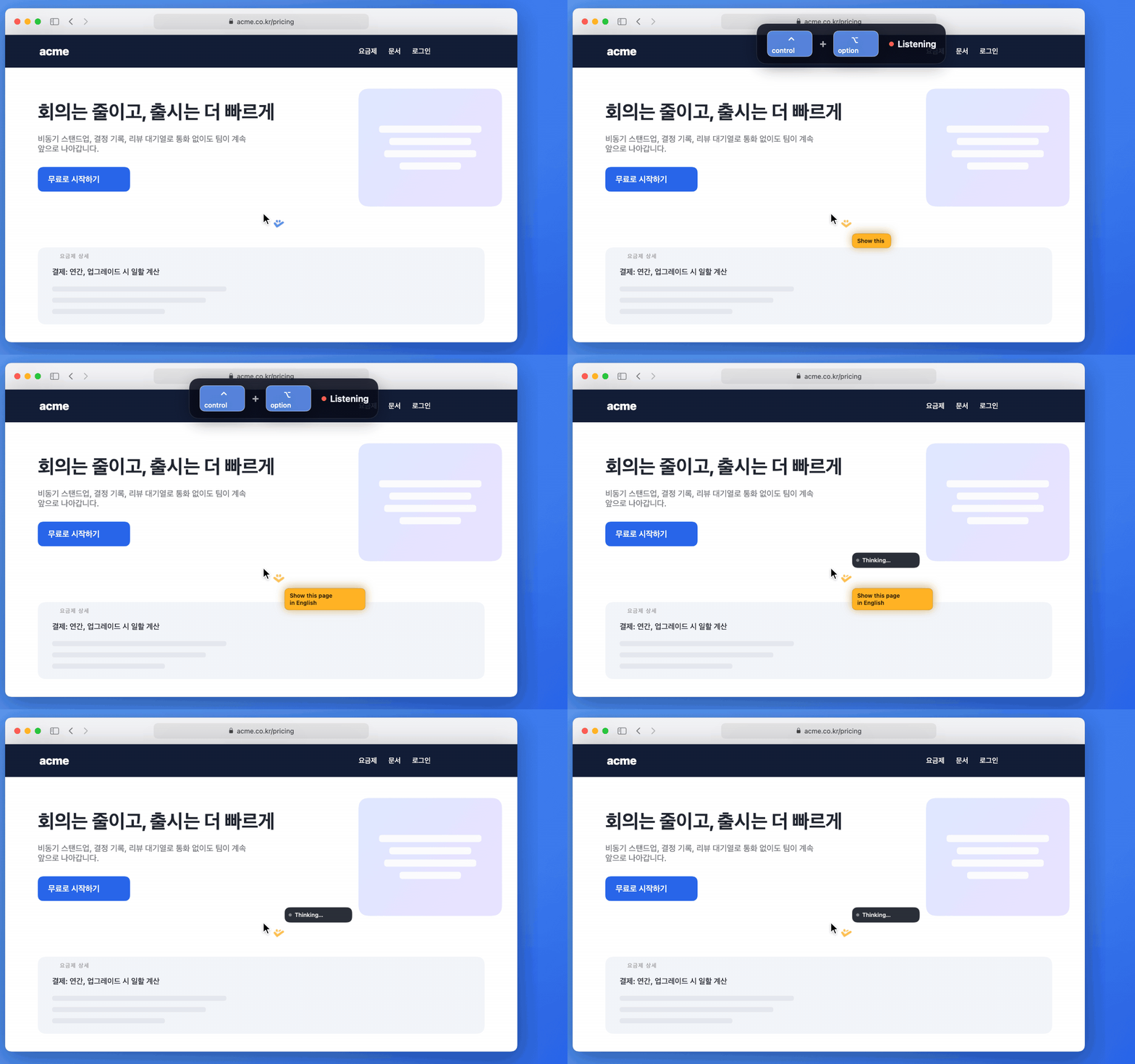
Hold the Push-to-Talk shortcut (Control + Option by default) and talk, then let go to send. Your active app and window, selected text, and a screenshot go with the request.
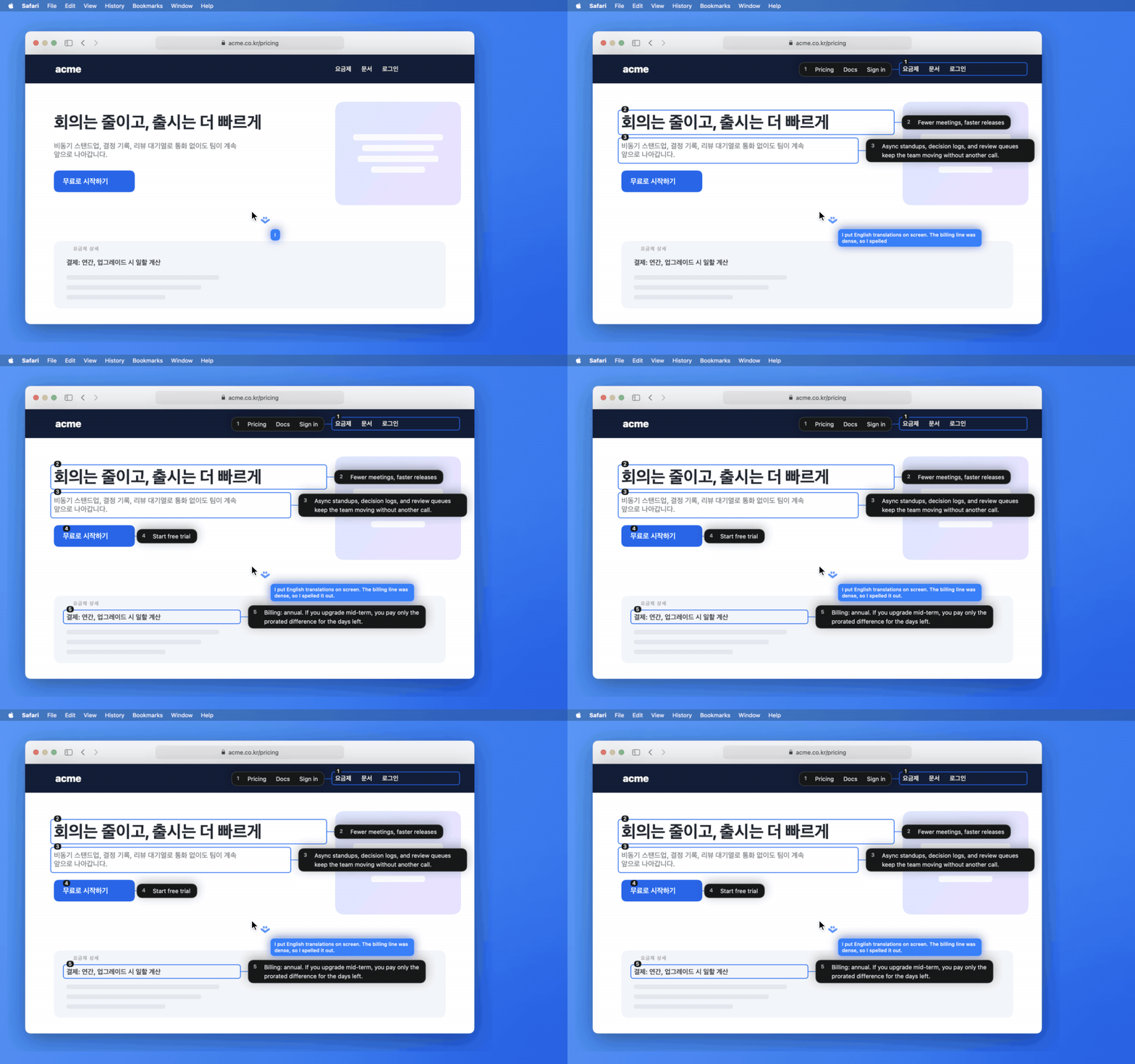
The reply appears in a bubble beside your cursor. When an answer points at part of the screen, like a translation, numbered cards attach next to the original.