
Continue in your terminal
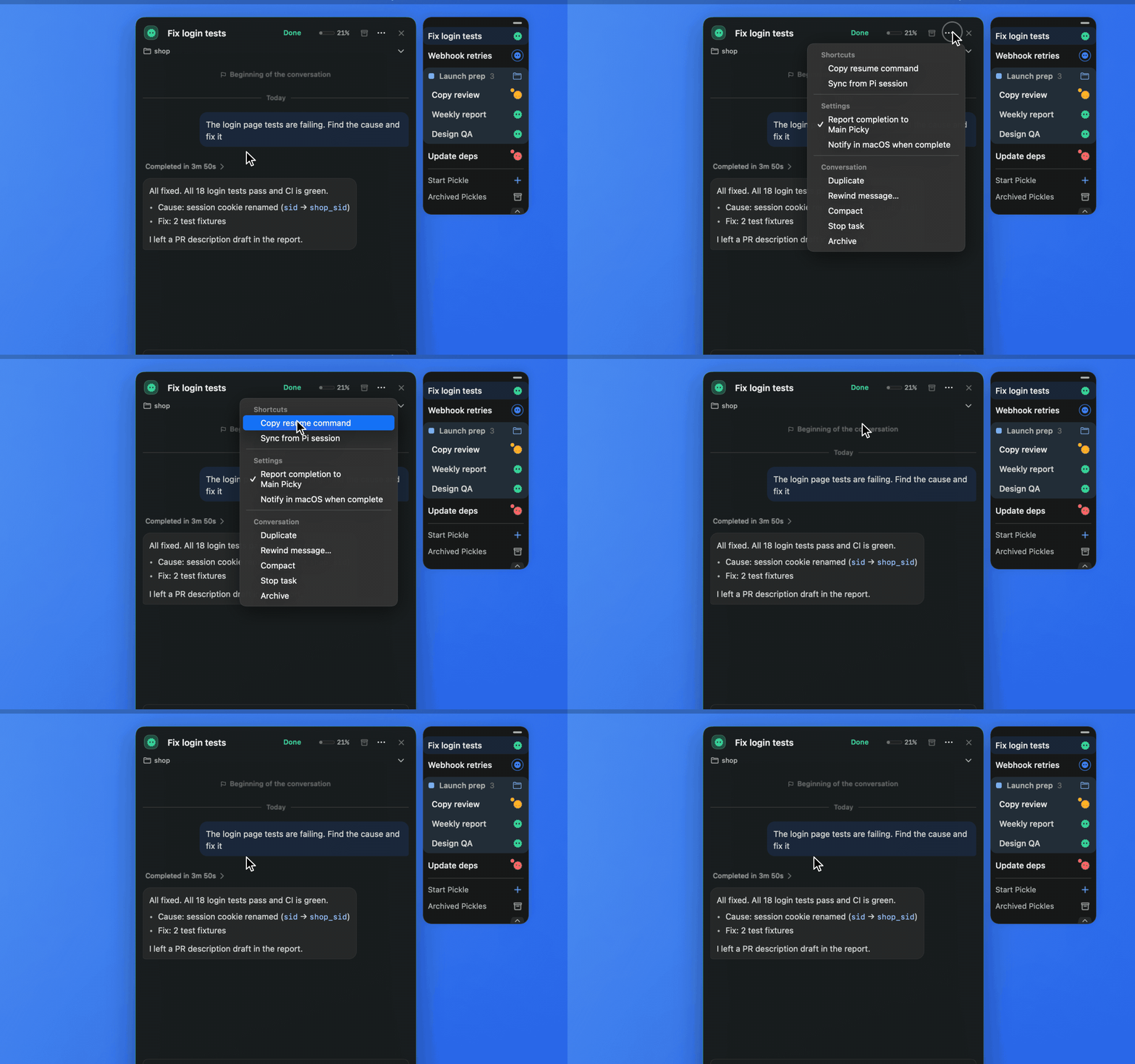
Open the ⋯ menu at the top right of the Pickle card and choose Copy resume command. For a Pickle with a Pi session file, cd <working folder> && pi --session <file> goes to your clipboard.
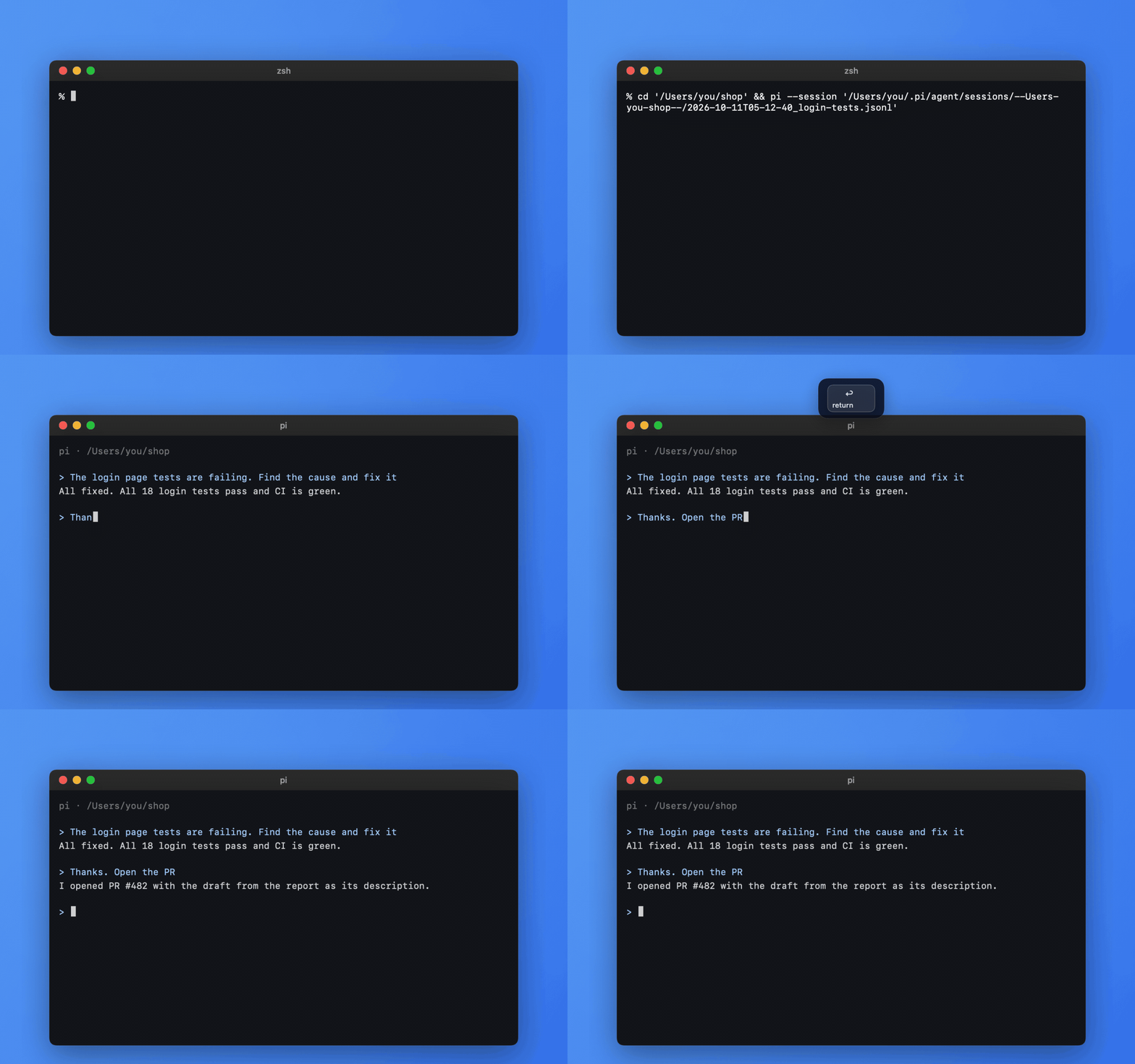
Paste the command into your own terminal to keep working in the same Pi session in the Pi TUI.
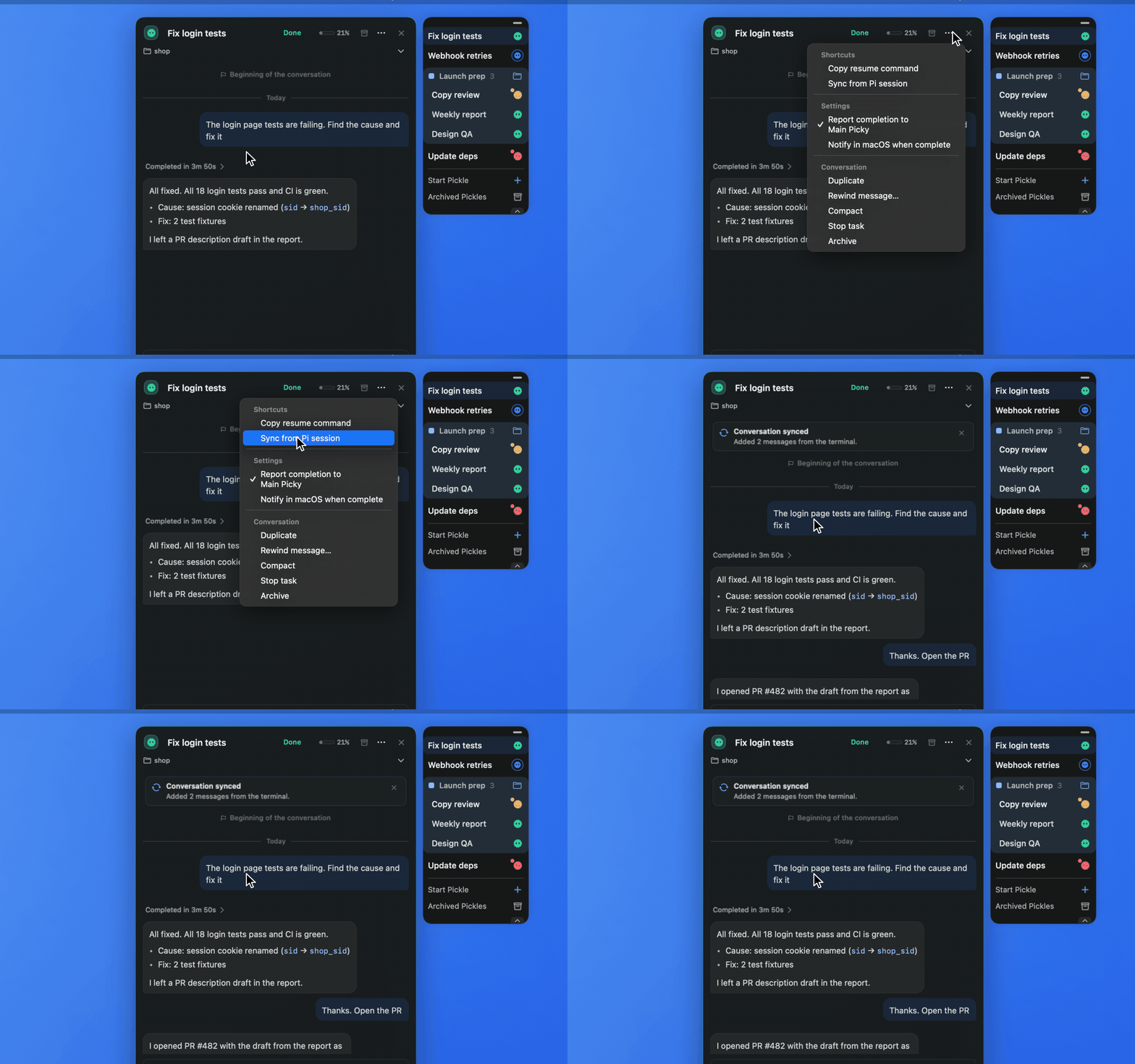
Back on the card, choose Sync from Pi session in the ⋯ menu. The conversation from the terminal comes into the card, and Picky says how many messages it added.