
Move fast with shortcuts
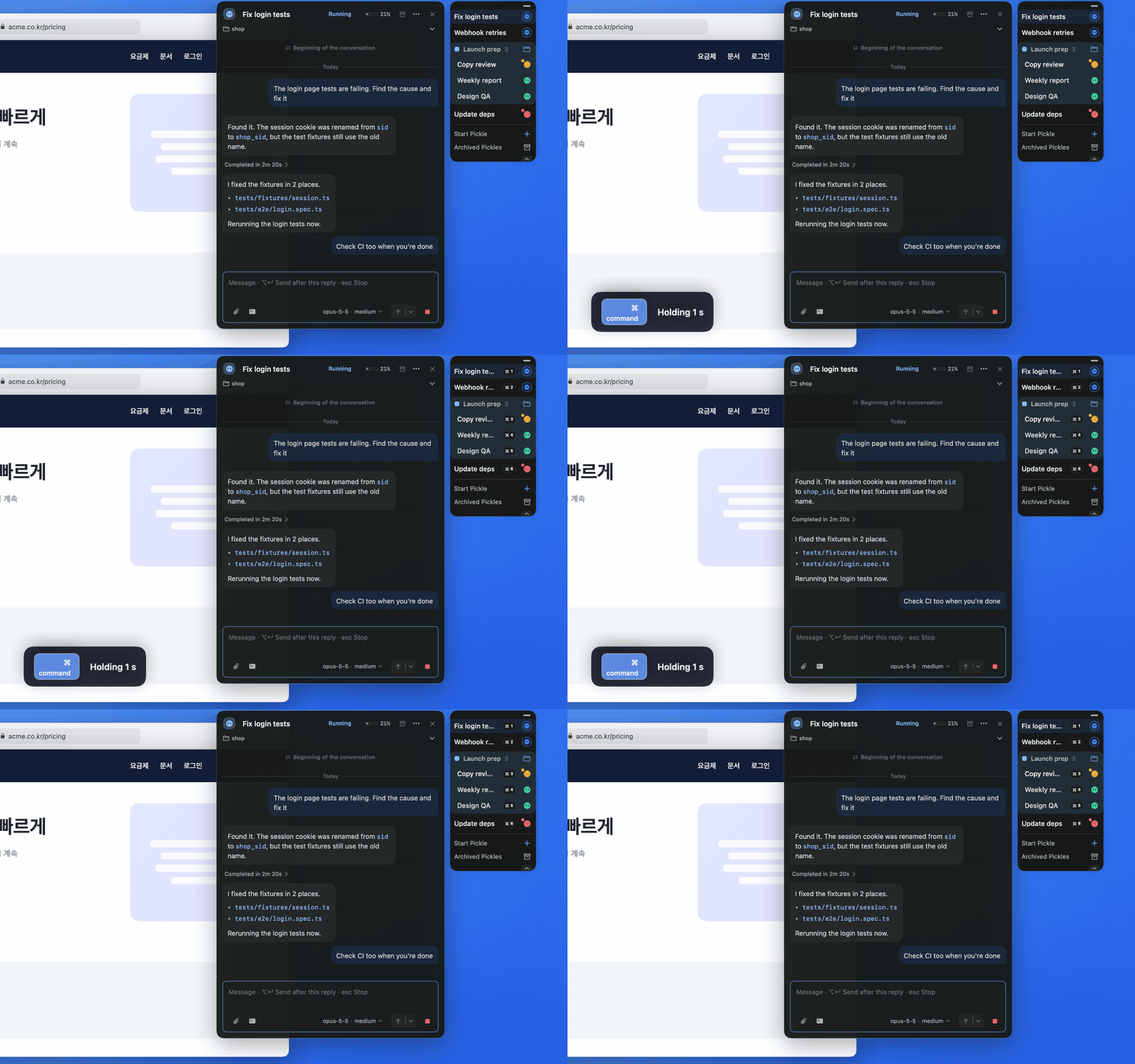
With the Dock or a Pickle card active, hold Command for about a second and each Dock row shows a number. Numbers cover the first 9 rows from the top, including Pickles inside expanded groups.
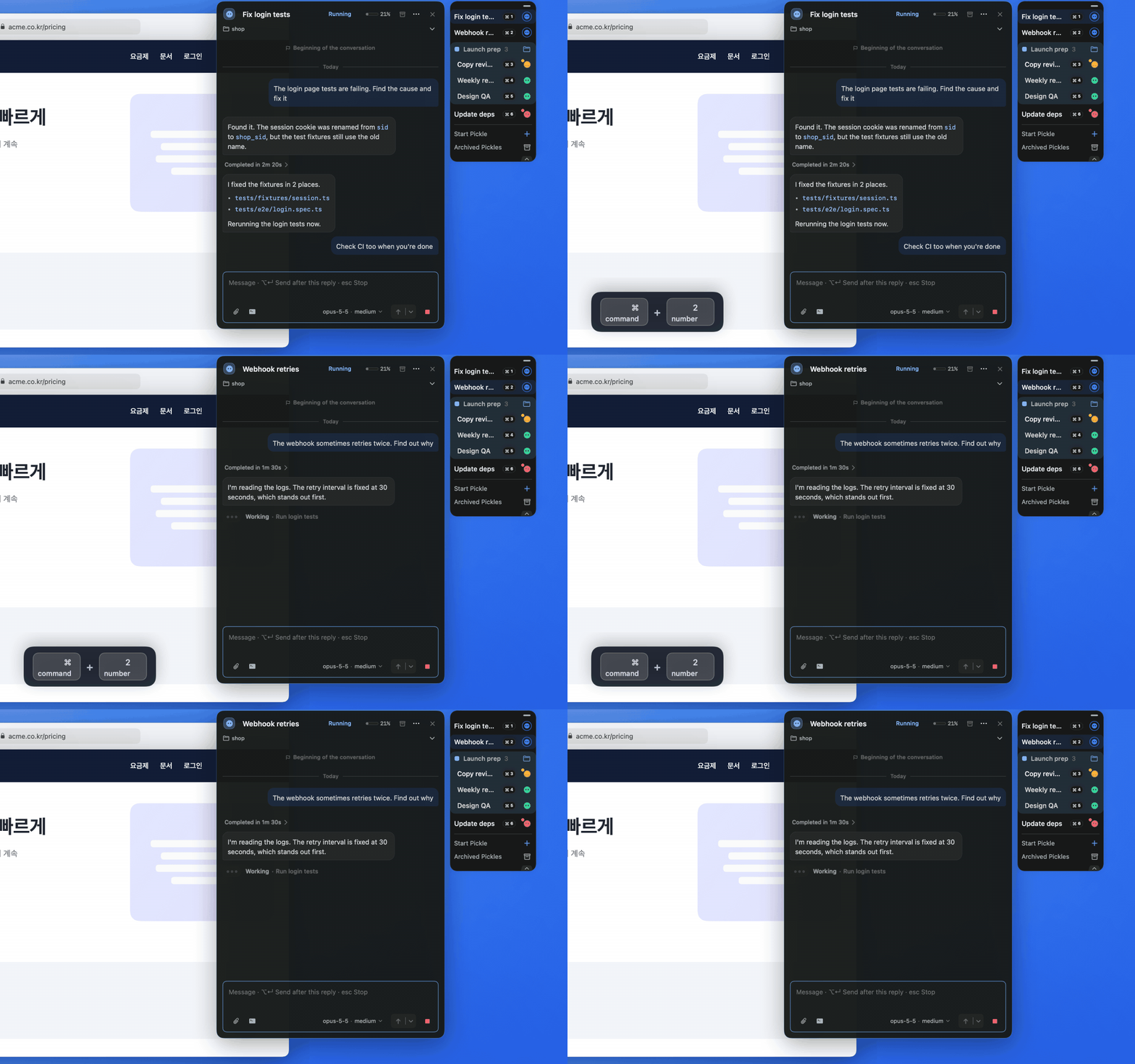
Press Command + a number to open or close the Pickle in that row.
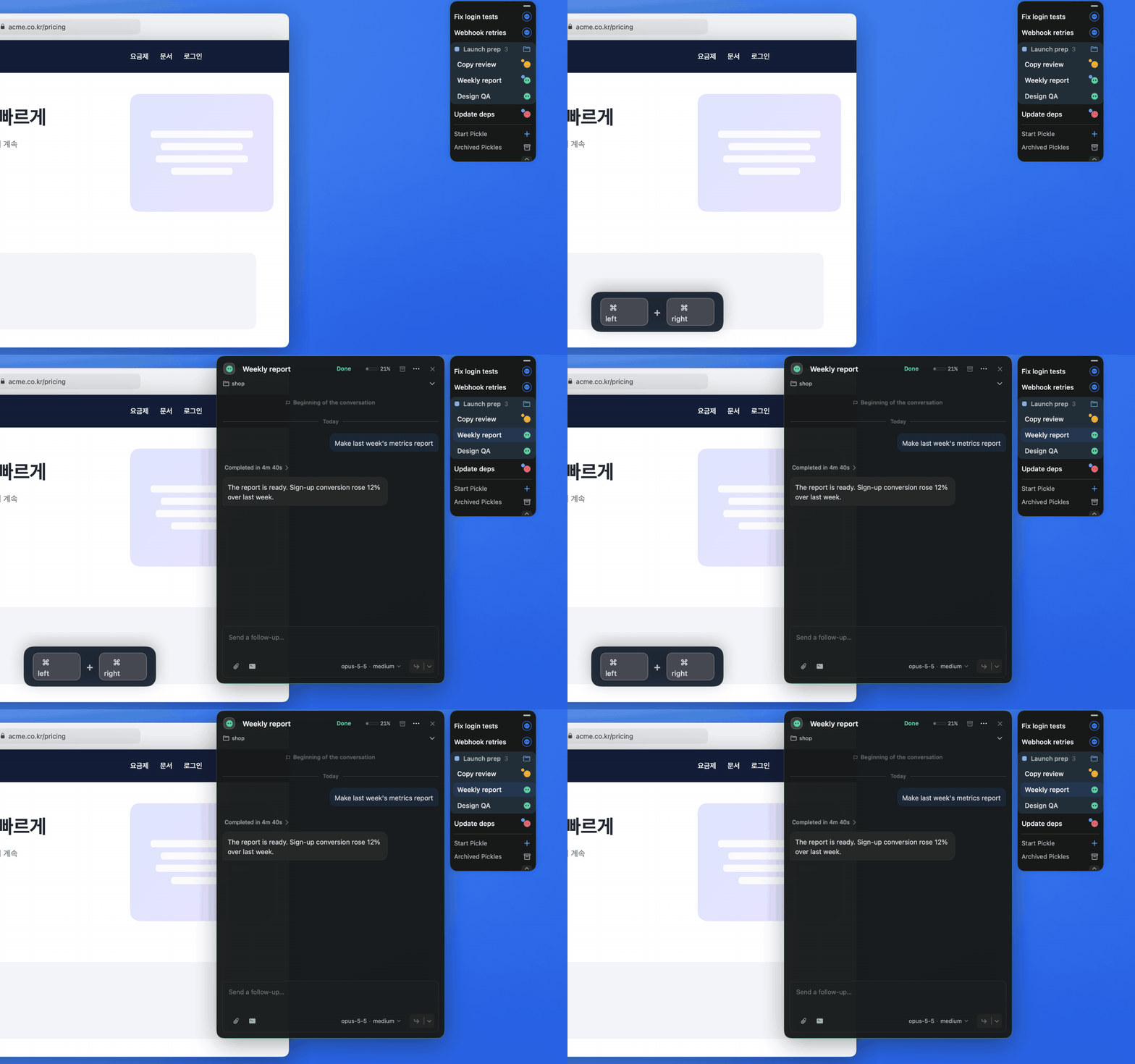
The Focus Pickle shortcut (Left Command + Right Command by default) opens the first unread Pickle in the Dock on the display your cursor is on. If none is unread, it opens the one you opened last, or the top one if there is none.