
Continue on your phone
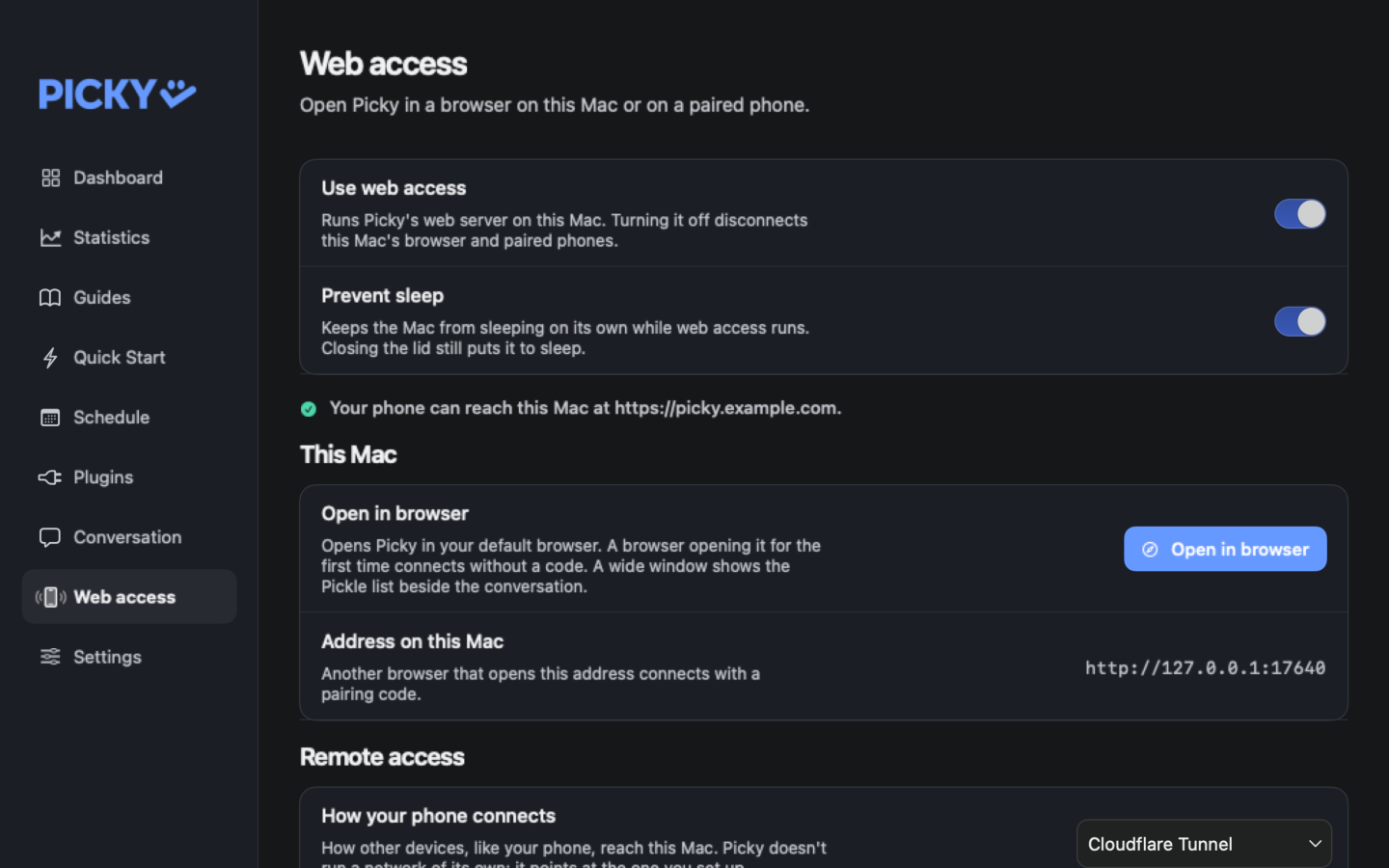
In Hub, open Web access, turn on Use web access, and choose how your phone reaches this Mac under Remote access. Only a path you set up yourself works: Tailscale Serve or Cloudflare Tunnel.
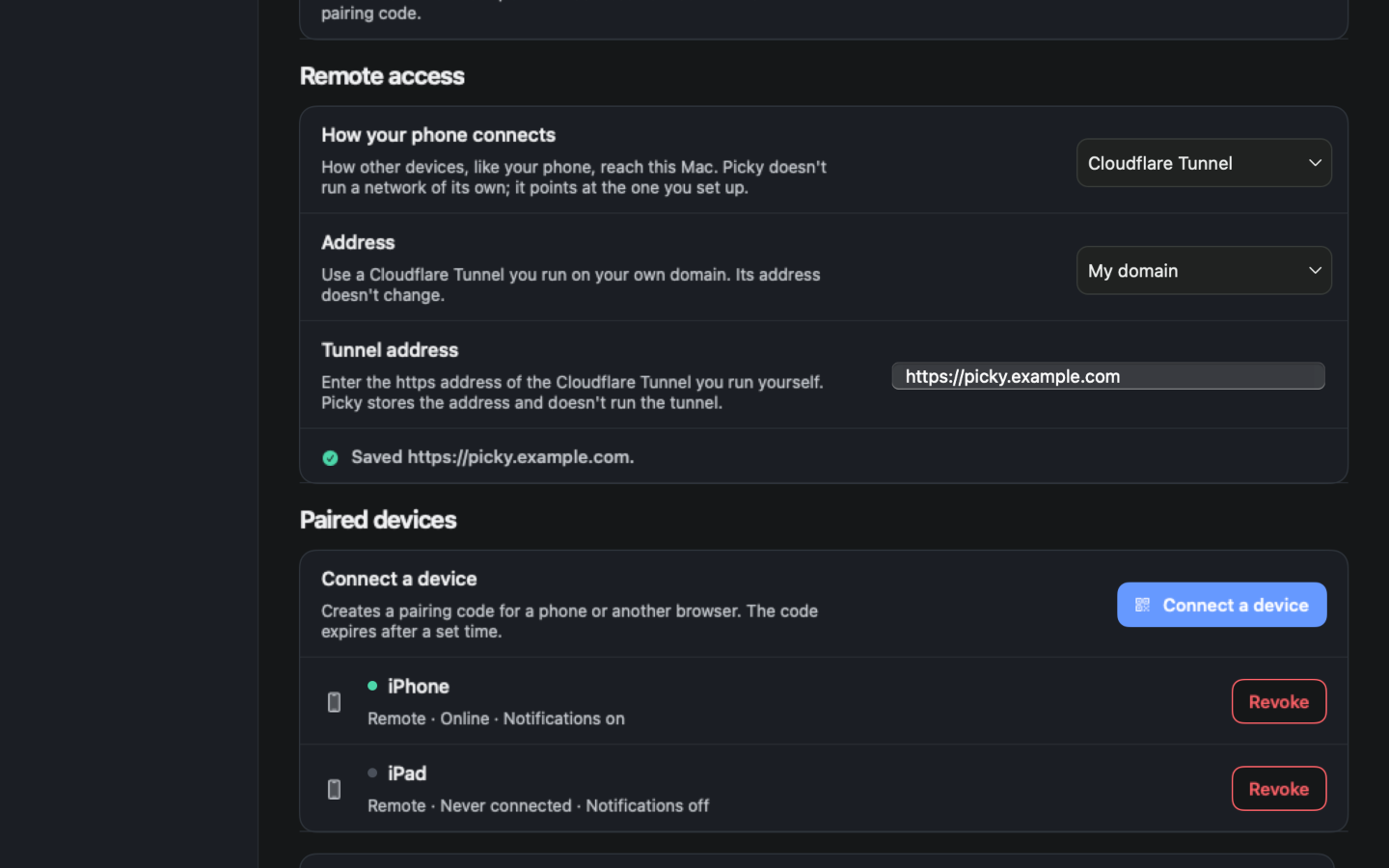
Press Connect a device to get a QR code and a pairing code. On the phone, open the address, add it to the Home Screen, then scan the QR code or type the code in that app. Paired devices are listed below.
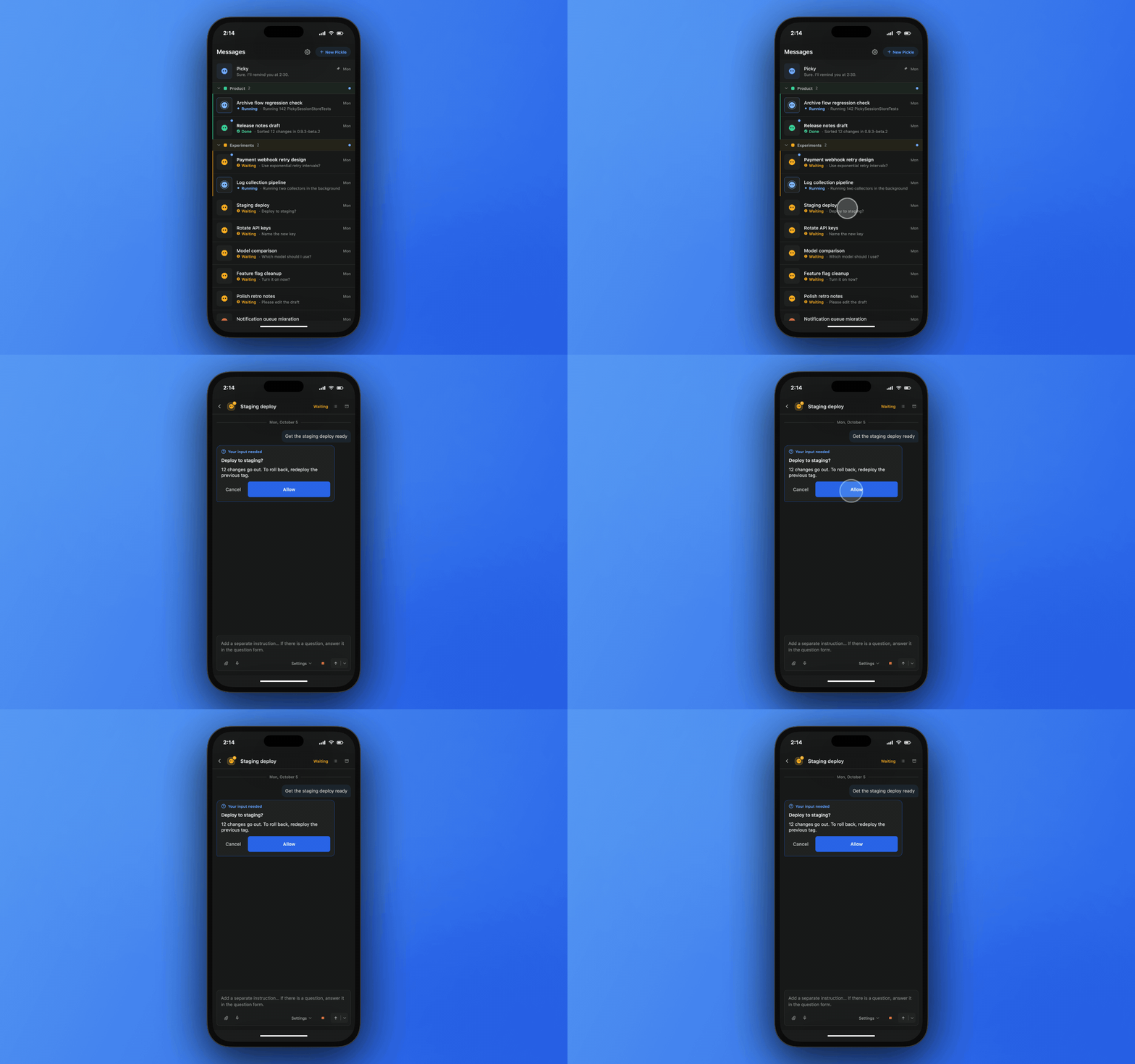
On the phone, open a Pickle from the list. It looks like the card on your Mac, and you can answer a question it is waiting on with a tap.