
Send your next input to one Pickle
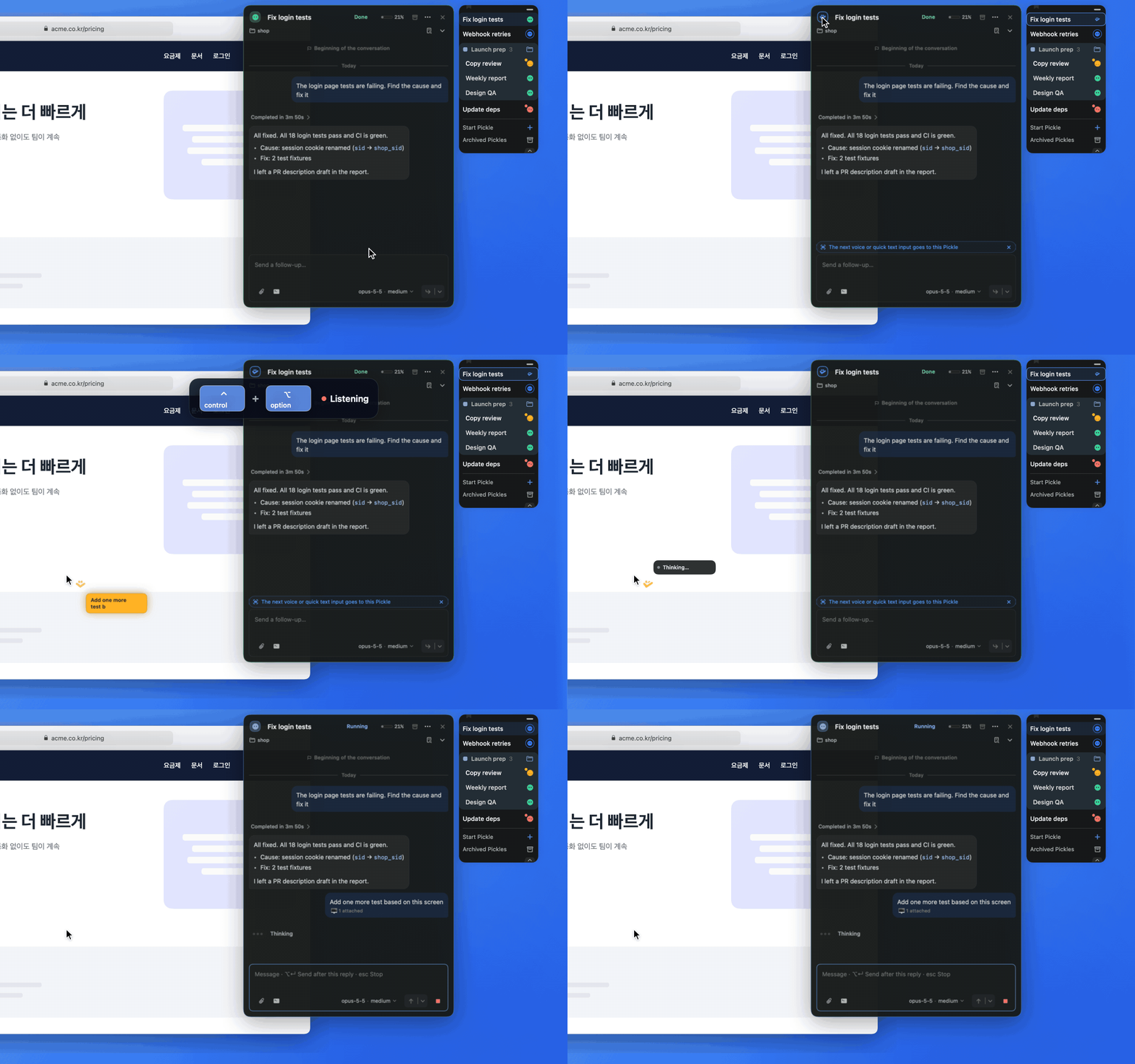
Click the Pickle badge in the card header once, or press Cmd + K. The composer says “The next voice or quick text input goes to this Pickle”, and the first request you send with Push-to-Talk or Quick Input goes to that Pickle along with your screen context. The target clears after one delivery.
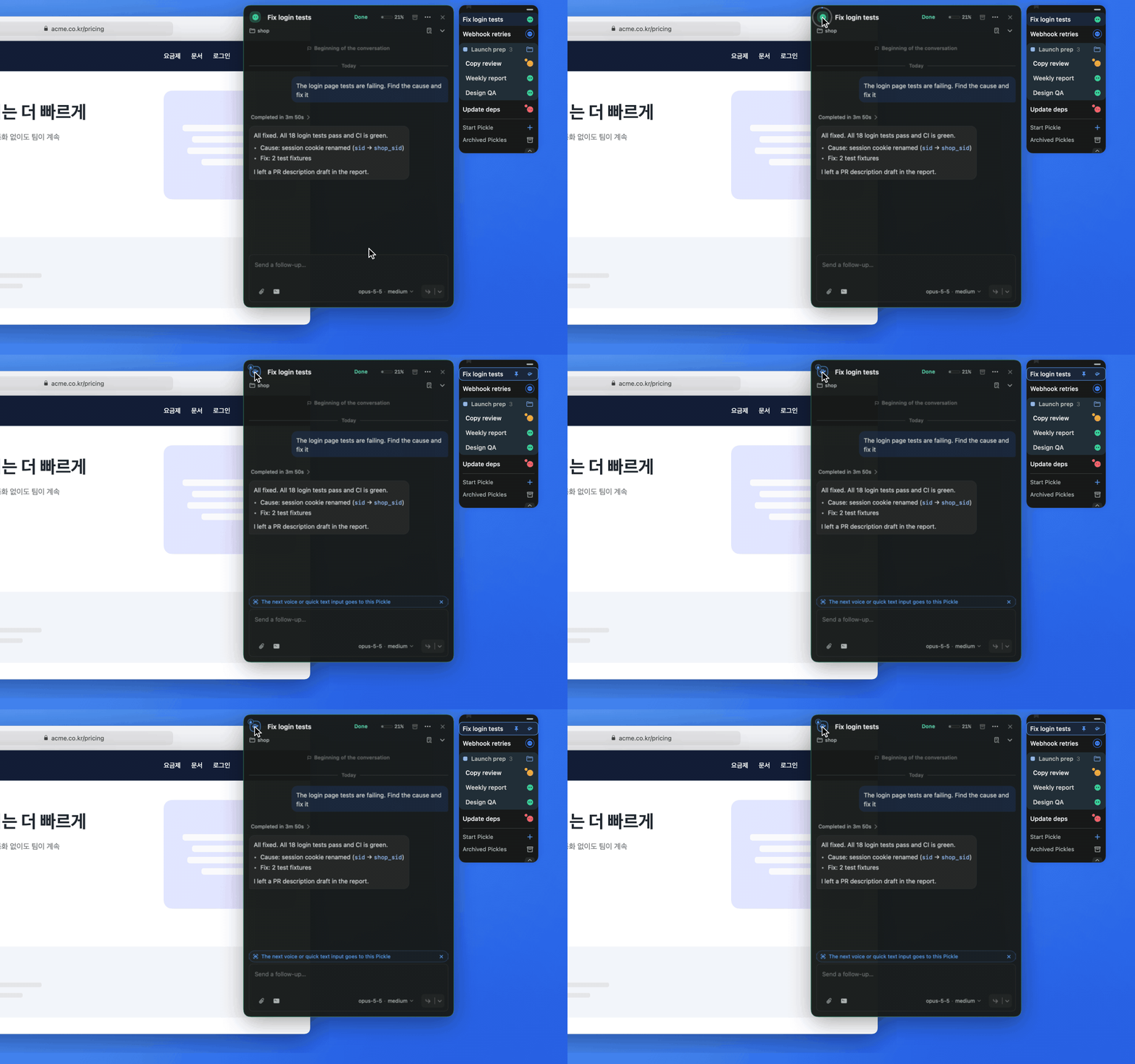
To keep sending to this Pickle, press and hold the badge for about one second. A lock appears on the badge and a pin on its Dock row. Click the badge again to unpin.
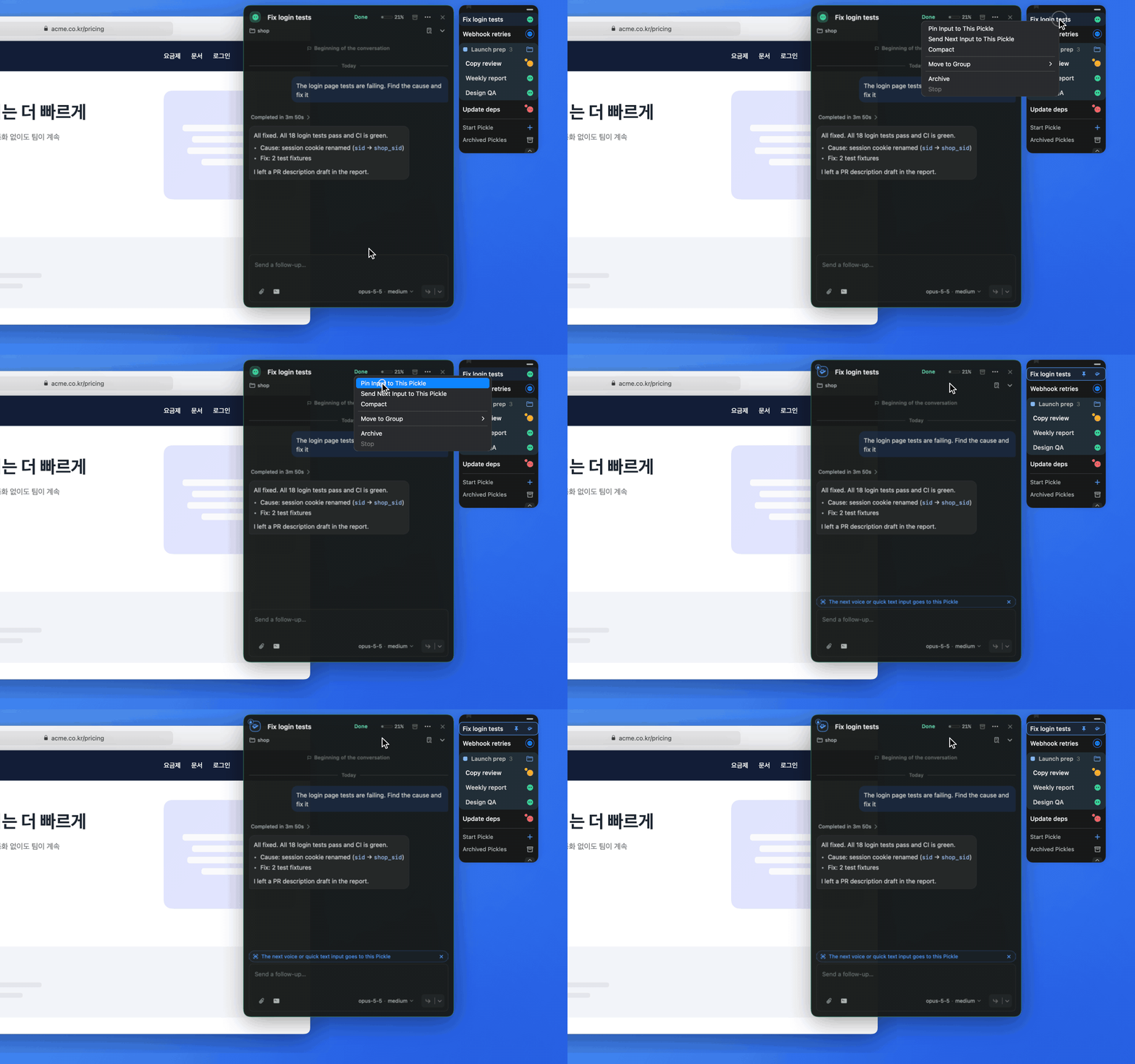
You can also right-click (or Control-click) a Pickle icon in the Dock. “Pin Input to This Pickle” keeps routing there, and “Send Next Input to This Pickle” does it once. To stop, choose “Unpin Input”.