
Attach files, and use @ and / suggestions
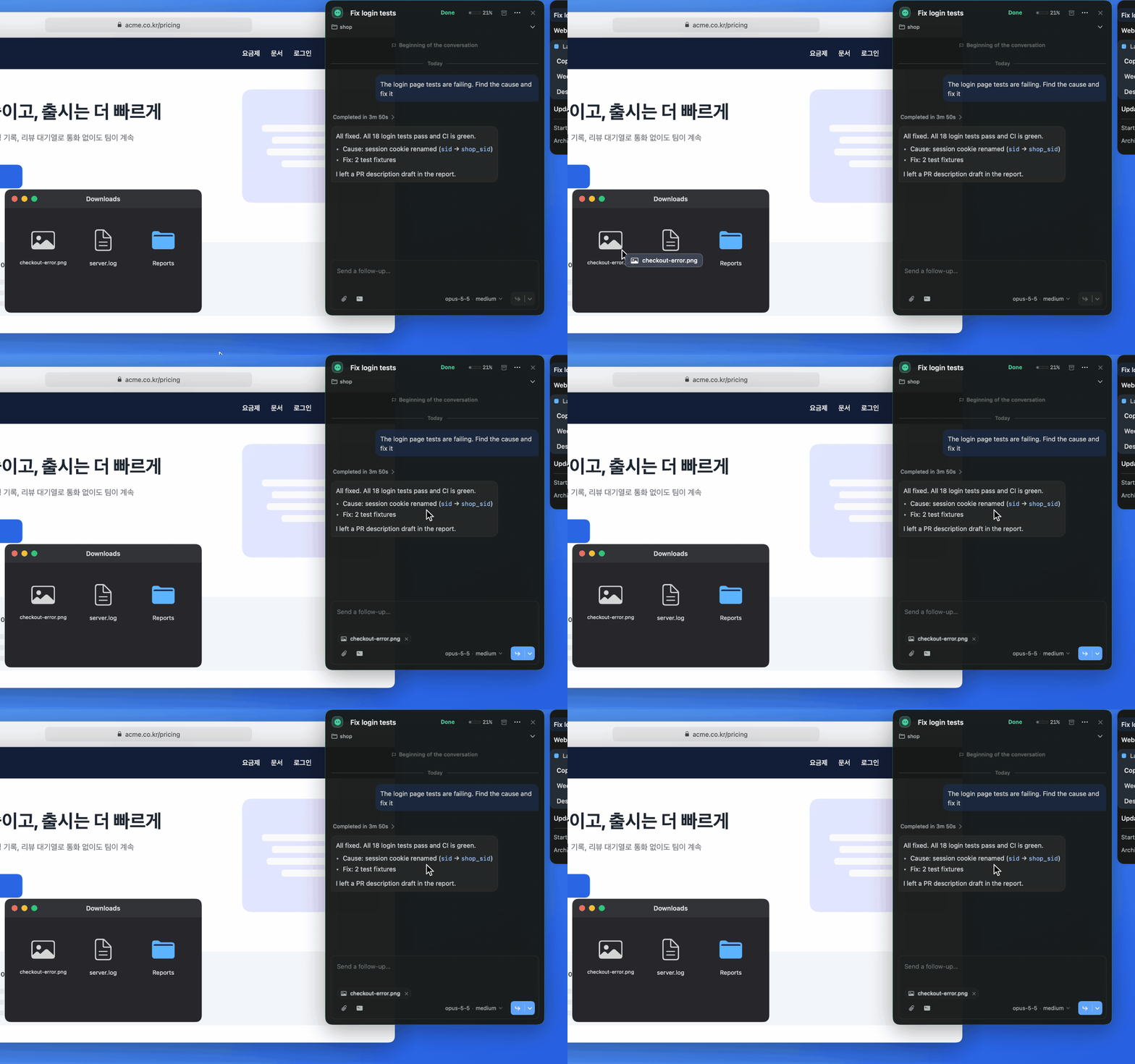
Drop files or screenshots anywhere on a Pickle card and their names appear as attachment chips in the composer. You can remove a chip before sending, and the file paths are added to your message when you send.
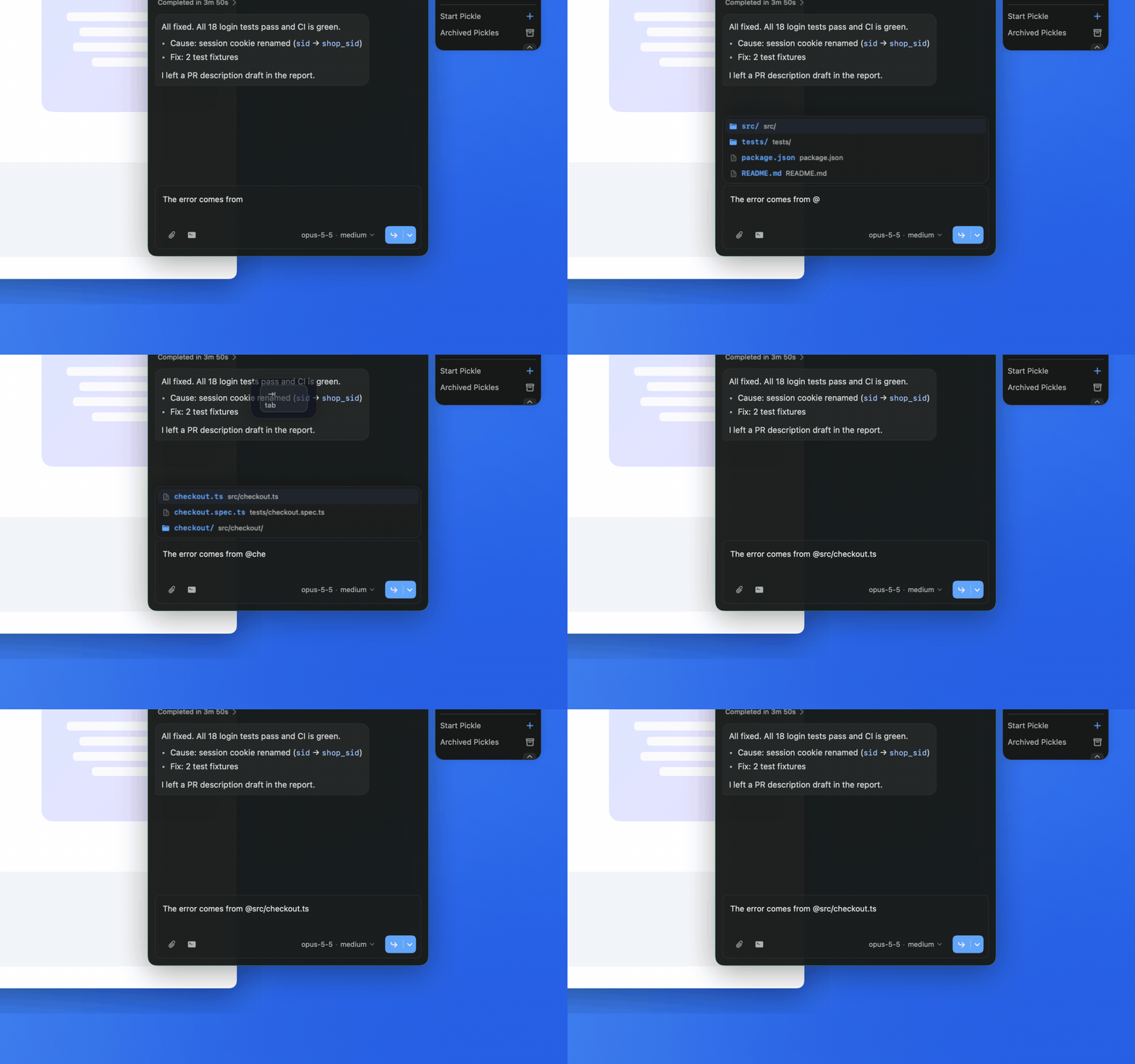
Type @ in the composer to see files relative to the Pickle’s working folder. Move with Up and Down, then press Tab or Return to insert one. File search needs fd.
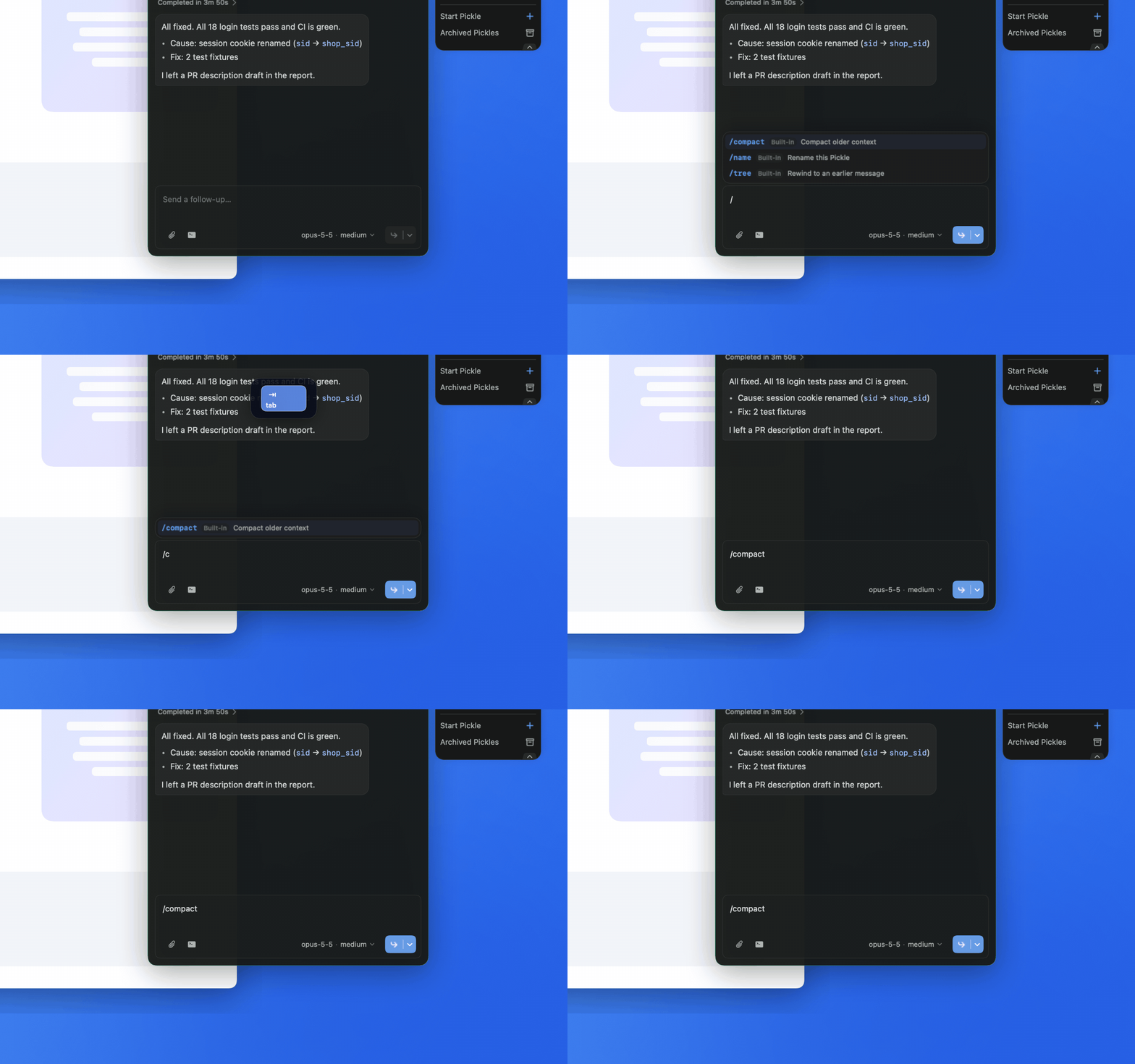
Type / to see slash commands from Pi and its extensions, plus Picky’s own, such as /tree once the Pickle has a Pi session file. Choose with Up and Down, insert with Tab or Return, and dismiss with Escape.