
Scheduled jobs

With the Cron plugin installed, tell Picky a recurring schedule by voice or text. You create and manage scheduled jobs by talking to Picky.
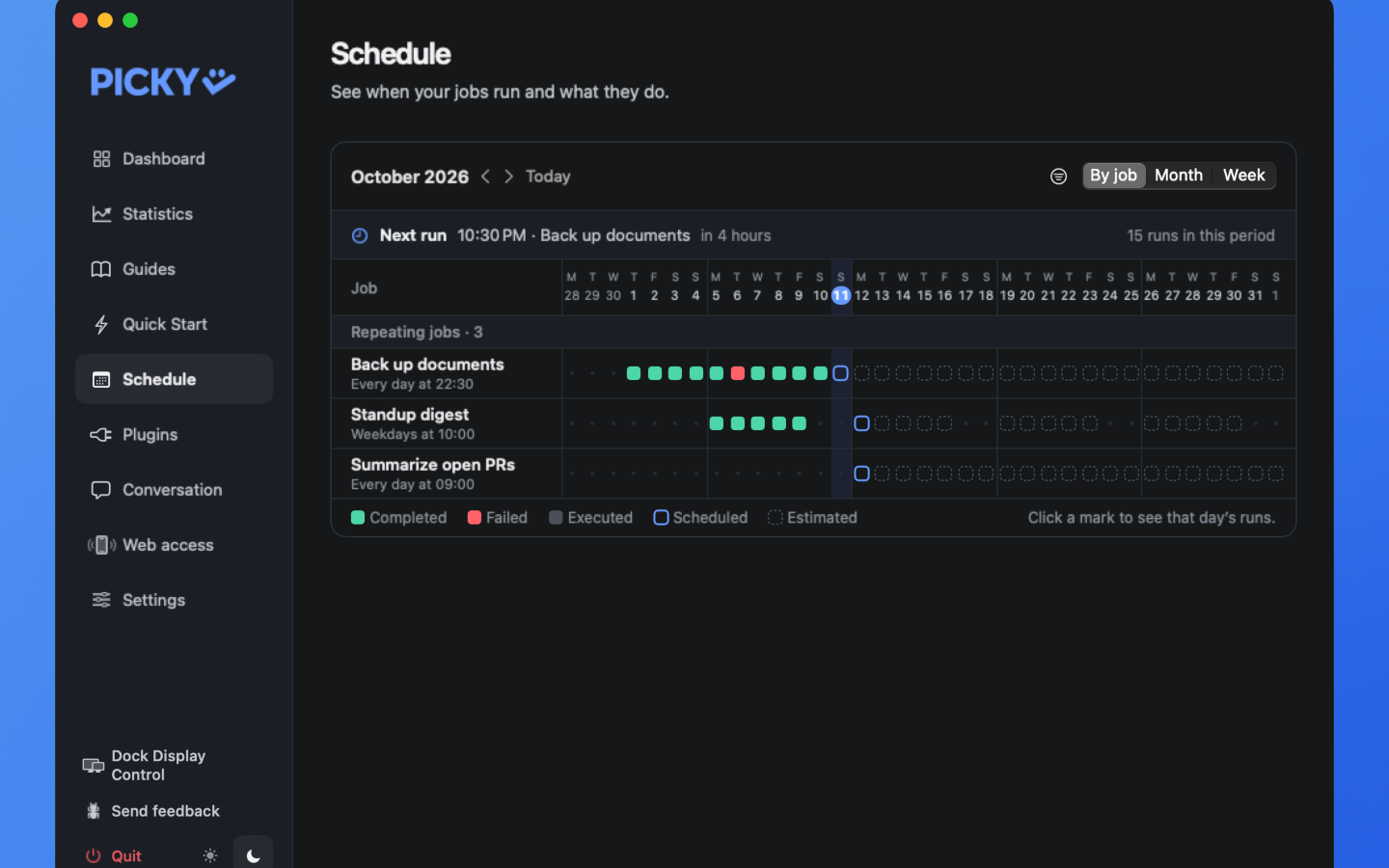
Open Schedule in Hub. The default By job view shows one row per job. Recorded runs are colored on each day, the next scheduled run has a blue outline, and later estimated runs are dashed.
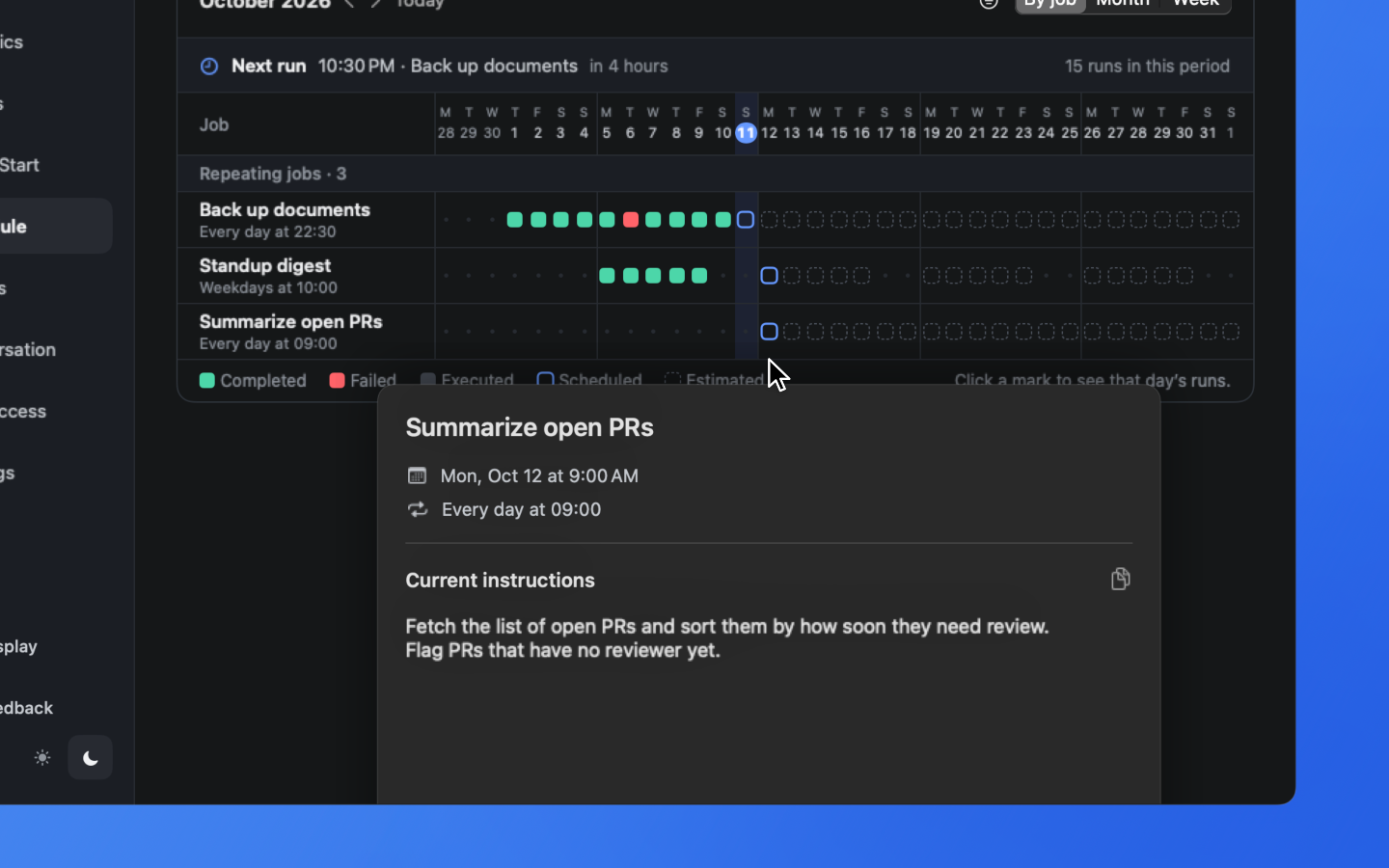
Click a mark to see that day’s runs, then click an entry to read and copy that run’s instructions. The calendar is read-only, so ask Picky to change a schedule.