
Follow up or steer a running Pickle
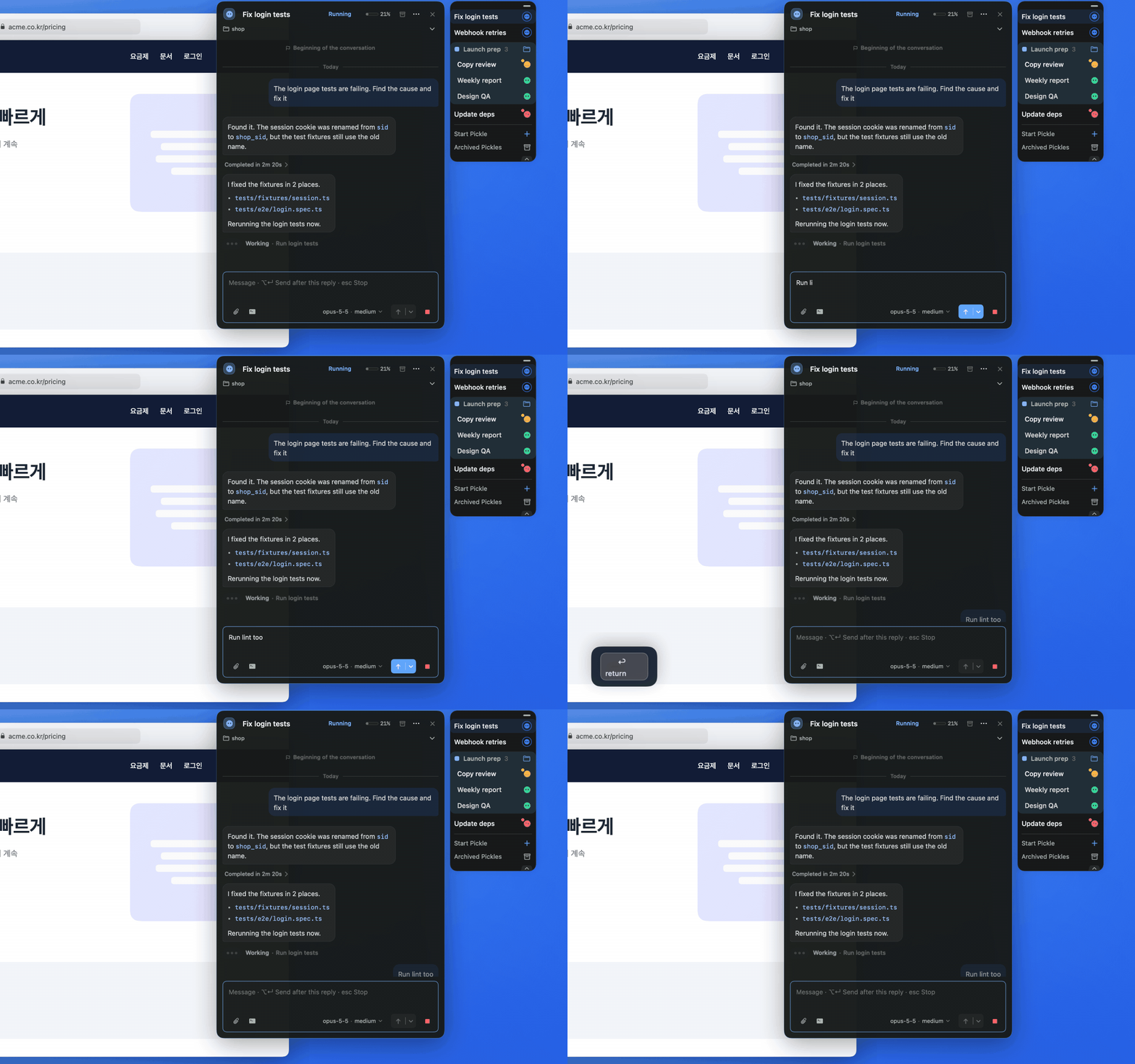
While a Pickle is working, Return sends guidance into the current task right away. Your message stays dimmed until the Pickle takes it, and you can cancel the send, or edit it when no screen is attached.
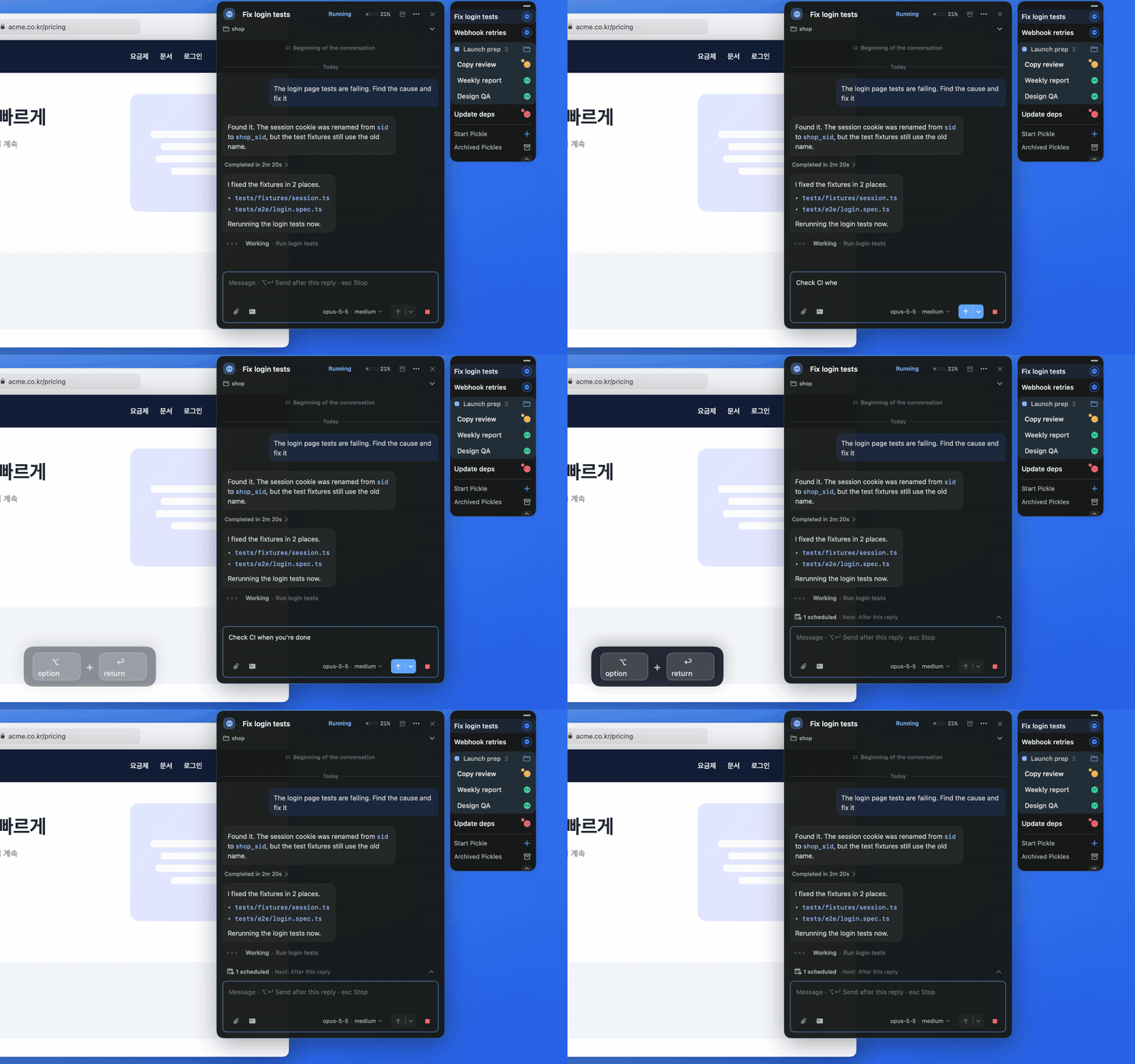
Option + Return sends a follow-up after the current reply. It waits in the scheduled bar above the composer; open the bar to Send now, Edit, or Delete.
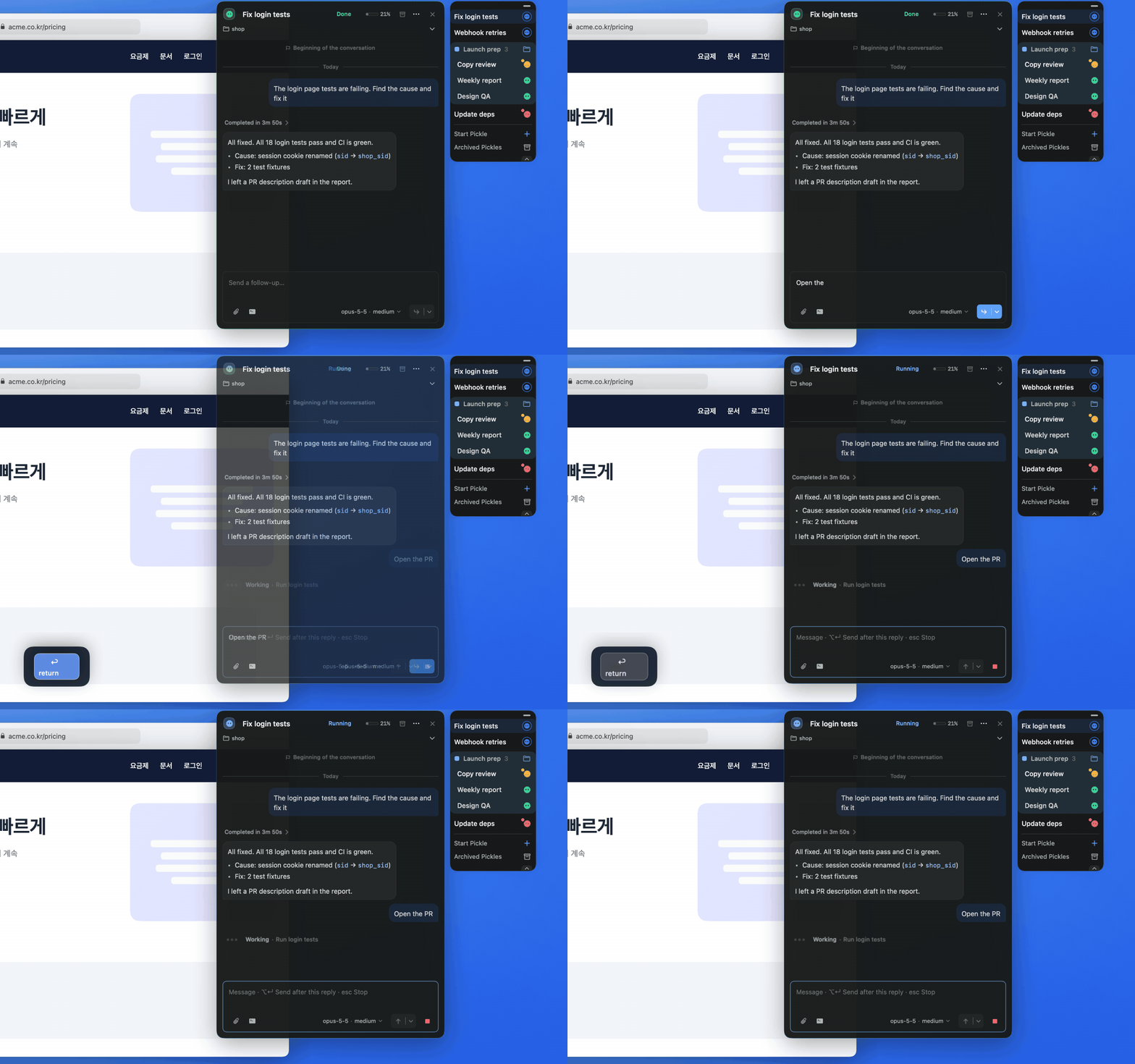
Once a Pickle has finished, plain Return sends a follow-up in the same Pickle.